2026.10
Zap AI is here! It is now generally available to eligible customers. Zap AI Assistant can answer your questions in plain English, modify your reports by asking, and check how a figure is worked out. Zap AI Analyst takes on bigger challenges. Investigate what is driving a change in your data, build analytics from scratch, and diagnose your analytics end to end. Zap AI customers can try Zap AI Analyst with free Zap AI credits until the 1st of January 2027.
Zap AI
Zap AI is generally available
Zap AI brings new insights into your business, from data you can trust. It has two agents, Zap AI Assistant and Zap AI Analyst, and both are now available to designers and consumers. Zap AI is included with Zap Data Hub for eligible customers.
Zap AI is one click away. Click the AI icon at the top-right of the page, or press Ctrl + /.
Zap AI Assistant
Zap AI Assistant helps by answering your questions. It can also modify and check reports. It is included with Zap AI.
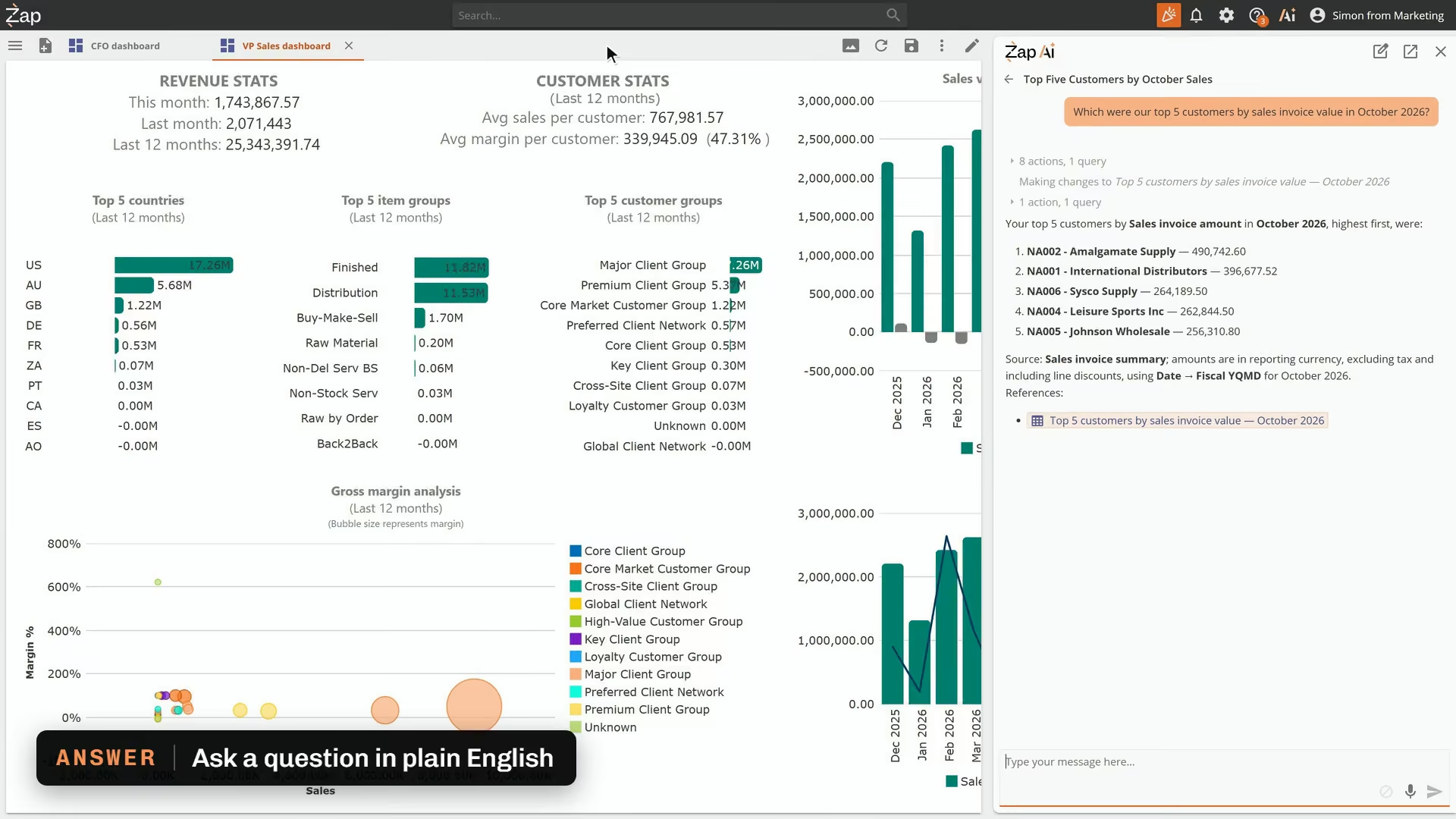
Answer: ask a question in plain English
Type a question about your data, such as "Which were our top 5 customers by sales invoice value in October 2026?" Zap AI Assistant answers from your data and names the report it used.
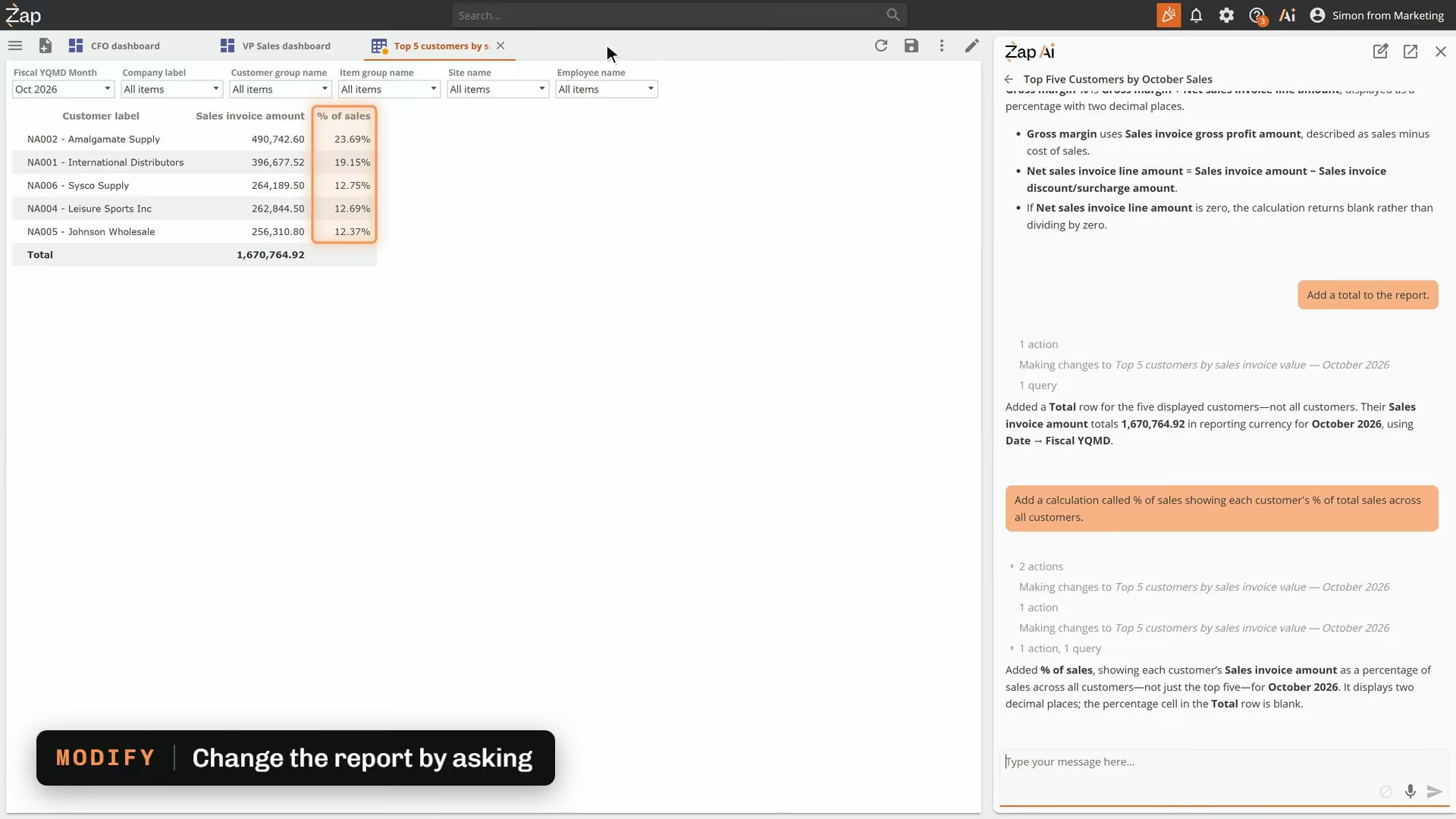
Modify: change the report by asking
Open a report and say what you want changed, such as "Add a total to the report." or "Add a calculation called % of sales showing each customer's % of total sales across all customers."
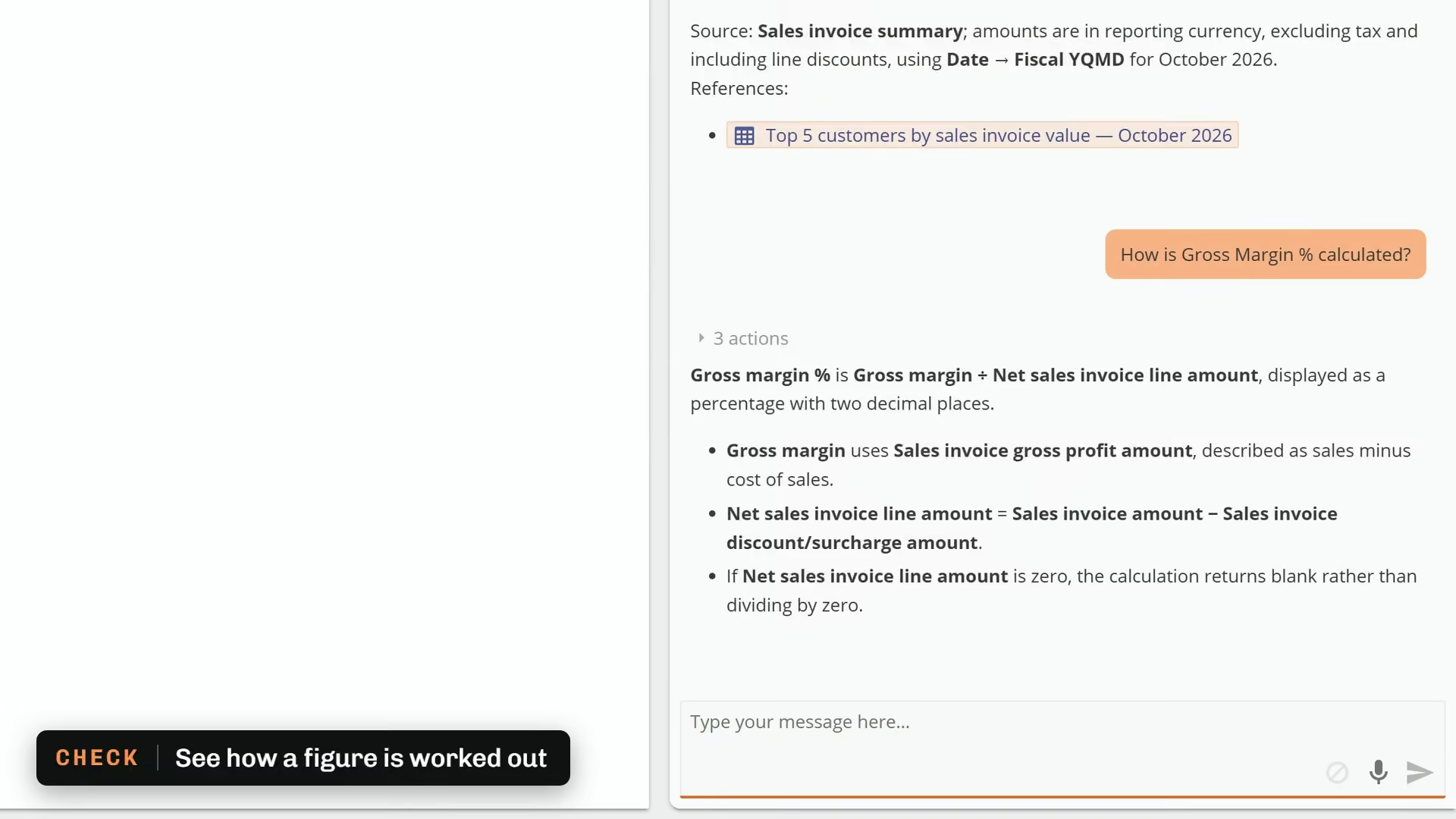
Check: see how a figure is worked out
Ask how a figure is calculated, such as "How is Gross Margin % calculated?" Zap AI Assistant gives you the formula and explains each part of it.
Zap AI Analyst
Zap AI Analyst is an AI agent that works for you to analyze your data. It takes on bigger questions: investigate, build, and diagnose.
Zap AI Analyst is an add-on for any Zap Data Hub plan. Zap AI customers can try it free until the 1st of January 2027. Zap AI credits are also free during that time. From the 1st of January 2027, Zap AI Analyst must be purchased from Zap and Zap AI usage will use your credits.
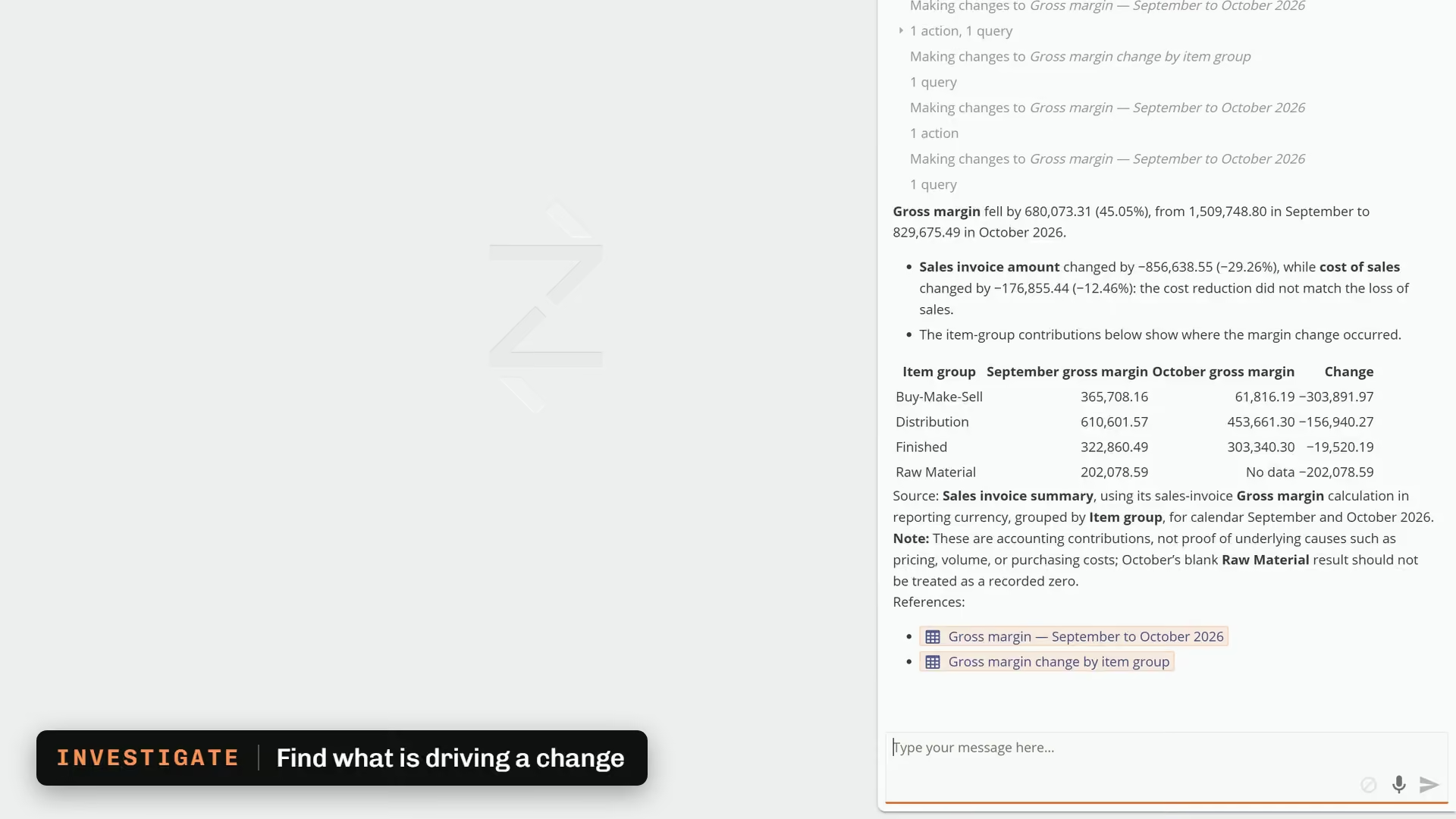
Investigate: find what is driving a change
Ask for an explanation of a change, such as "Provide an executive summary of the changes in gross margin between Sep and Oct 2026 and what drove them." Zap AI Analyst replies with an executive summary and what drove the change.
Then get to the causes with a follow-up, such as "What were the main causes of the revenue change?" Zap AI Analyst lists the main contributors and says what the figures can't confirm.
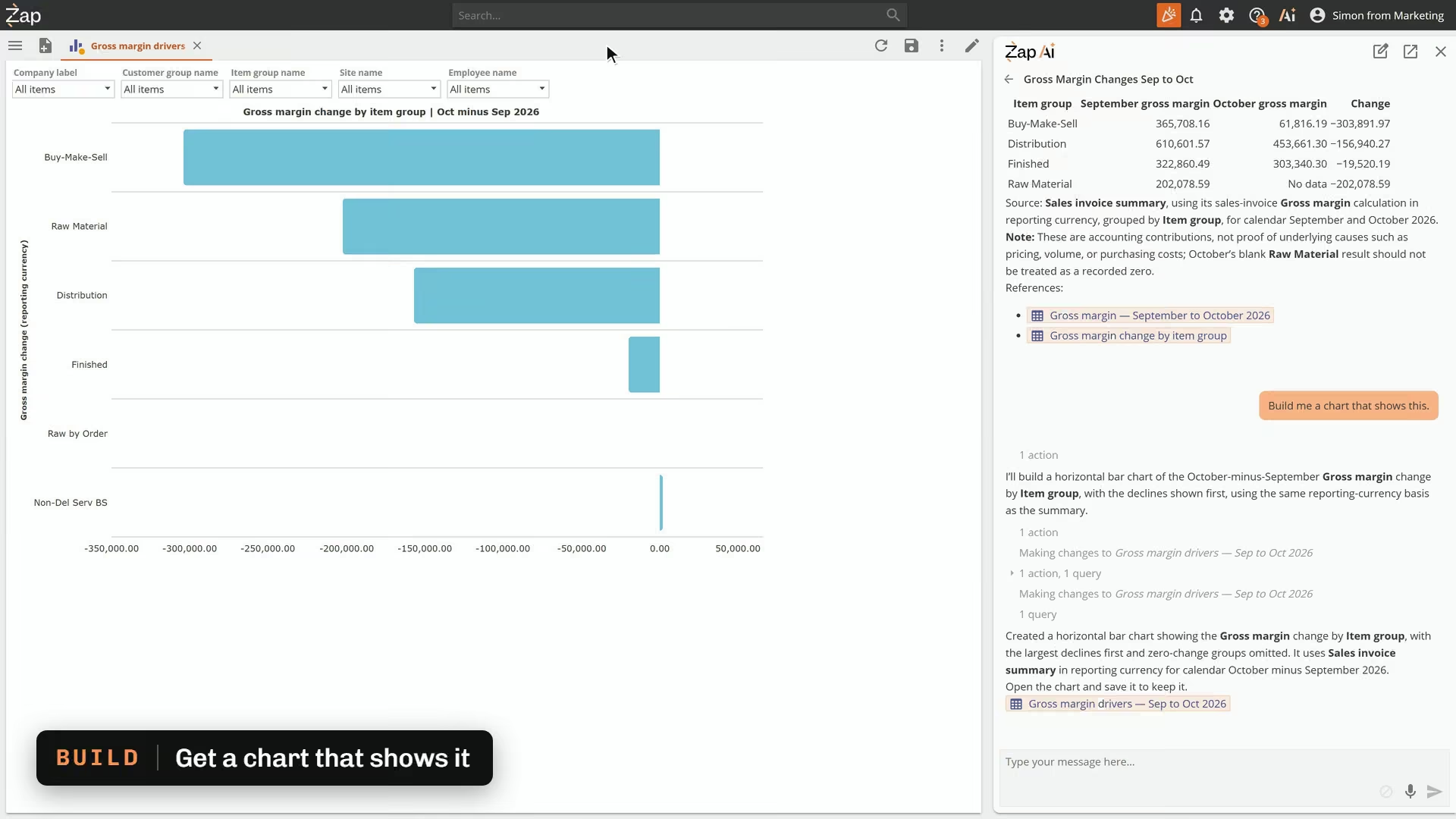
Build: get a chart that shows it
Then ask "Build me a chart that shows this." Zap AI Analyst builds the chart and links to it. Open the link and save the chart to keep it.
Diagnose: review your analytics end to end
Ask Zap AI Analyst to diagnose how your analytics are put together. It finds what is wrong with them, such as a definition that is off or a cost counted twice.
Get started with Zap AI
- An administrator opens the Zap AI chat panel and clicks Allow access.
- Open a report, click the AI icon, and ask.
- To let Zap AI answer from a report when it isn't open, turn on Enable for AI in the report's menu, then save the report.
To let Zap AI build new analyses for a user, give their role the Explore and Explore with AI permissions. See Security.
See Using Zap AI for details.
Zap AI is not available on-premises.
Zap AI credits
Zap AI usage is free until the 1st of January 2027. Zap AI usage is measured in credits. Your Data Hub license includes weekly credits for your organization, and administrators can now buy additional credits when you need more. Additional credits are used once your weekly credits run out, and they don't expire.
See Zap AI credits and How to buy Zap AI credits for details.
Installing on-premises
To install or update Zap Data Hub on-premises, see the installation instructions. On-premises releases are typically one version behind the latest cloud release.
Performance Enhancements
Every release contains performance enhancements and bug fixes to improve Data Hub.