Data limits
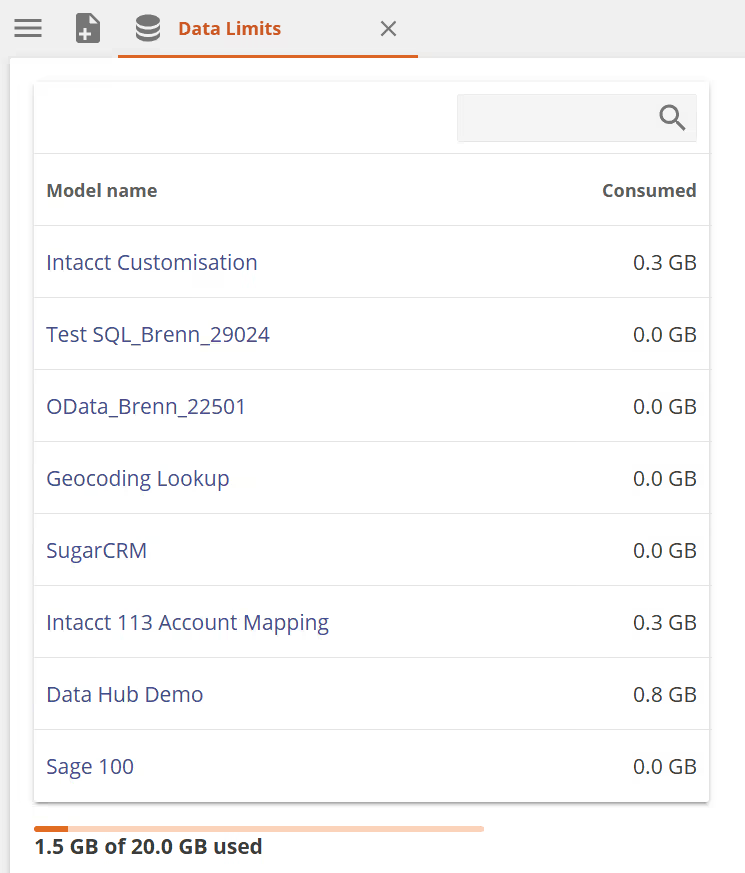
Your Data Hub license includes limits on resource usage. You can view your current usage and limits on the Settings > Data Limits screen.

- Only administrators can see Data Limits.
- Data limits are set at the time of purchasing a Data Hub license. To change your allocated limits, contact Zap Support.
Warehouse storage size
These are the limits that apply to the storage space available to models in the data warehouse.
The Total licensed warehouse storage and size of each model can also be seen in the General section of the Model panel.
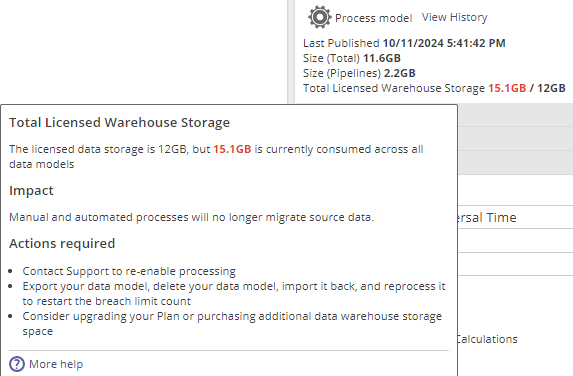
Exceeding the warehouse storage limit
Once the total limit has been reached the following will happen in Data Hub.
-
A grace period of 60 days will become active. During the grace period, the following actions can be taken.
- Purchase additional warehouse capacity
- Delete models that are not in use anymore
-
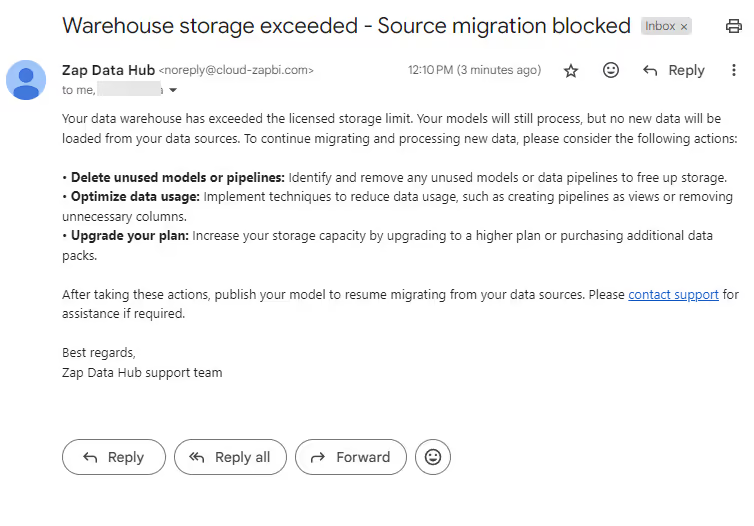
Once the limit is reached, notification emails will be sent out weekly to model owners for the duration of the grace period reminding them to rectify the licensed limit. At the end of the 60 days, a final email will be sent to let them know that source migration will be suspended.
-
After the grace period is over, model processing will still be possible as before, but data sources will not load new data from the source anymore, until the limit is rectified.

Model processing time
The Data Limits screen shows how long each model has spent processing over the last 7 days. This information can help identify models that may need optimization to reduce processing time and resource usage.

Exceeding the processing time limit
When the total processing time across all models exceeds your licensed limit, model owners receive a notification email.
If your models are approaching or exceeding the processing time limit, there are several strategies you can apply to reduce usage. See how to optimize model processing time for guidance on scheduling, incremental loading, and pipeline design.
From the 1st of October 2026, processing time limits will be enforced. Ensure your models are optimized to stay within your licensed processing time before this date.
License usage
The License usage section displays a meter which compares your current usage across all models to your licensed limits.
